If you own an Amazon Fire TV Stick and you're shopping for the best IPTV for Firestick in Canada, you already know the appeal: one small device plugged into your TV, and a huge library of live channels, sports, movies, and international content streamed over your internet connection. But not every service is worth your money. Streaming quality, Canadian content coverage, uptime, and support vary widely from one provider to the next. This 2026 guide walks you through exactly what to look for so you can choose a service you'll actually be happy with, and set it up on your Firestick in minutes.
Why the Firestick Is a Great Choice for IPTV in Canada
The Fire TV Stick is one of the most popular streaming devices in Canadian homes for good reason. It's inexpensive, plugs straight into any HDMI port, and runs a version of Android under the hood, which makes it compatible with the vast majority of IPTV apps and players. You don't need a smart TV, a cable box, or any special hardware. If you have a Firestick and a decent internet connection, you have almost everything you need to get started.
For Canadian viewers specifically, a Firestick paired with a good IPTV subscription can bring together local coverage, live sports, premium entertainment channels, and international programming in one interface, which is often difficult and expensive to assemble through traditional providers.
What to Look For in a Good IPTV Service
The difference between a frustrating experience and a great one usually comes down to a handful of factors. Before you pay for any plan, check for the following:
- Stream stability and uptime. Buffering-free playback matters more than a big channel list. A service with reliable servers will beat one that constantly drops during peak hours.
- Video quality options. Look for HD and 4K streams where available, plus adaptive quality so playback stays smooth if your connection dips.
- Content that matches your interests. Whether you care most about live sports, movies, or international channels, make sure the lineup actually covers what you watch.
- Firestick compatibility. The service should work cleanly with common Firestick players and provide clear setup instructions.
- Responsive support. Fast, human customer service is invaluable when you need help with setup or a login issue.
- A trial or short first term. Being able to test the service before committing long-term reduces your risk.
- Simple, transparent pricing. Clear monthly and annual plans with no confusing add-ons.
Services like Optimedia are built around these fundamentals, prioritising stable streams, broad content coverage, and straightforward Firestick setup so you spend more time watching and less time troubleshooting.
Best IPTV for Firestick in Canada: What Matters Locally
Canada brings a few specific considerations that make choosing the right service a little different from other markets. Keeping these in mind will help you find the best IPTV for Firestick in Canada rather than a generic option that doesn't quite fit.
Server locations and connection quality
A service with well-distributed, well-maintained servers tends to deliver smoother playback for Canadian viewers, especially during evenings when everyone is streaming at once. Ask about, or look for, providers that invest in infrastructure rather than overselling capacity.
Content variety across regions
Many Canadian households want a mix of local coverage, live sports, and international content, whether that's programming in other languages for family members or channels from abroad. A strong service offers this breadth in a single subscription instead of forcing you to juggle multiple apps.
Reliable billing and support in your timezone
Look for transparent pricing in a currency you understand and support that responds promptly. Nothing is worse than a stream going down on a big night with no way to reach anyone. This is one area where established services like Optimedia aim to stand out.
Setting Up IPTV on Your Firestick
Getting an IPTV service running on a Fire TV Stick is usually quick. While the exact steps depend on the player you choose, the general process looks like this:
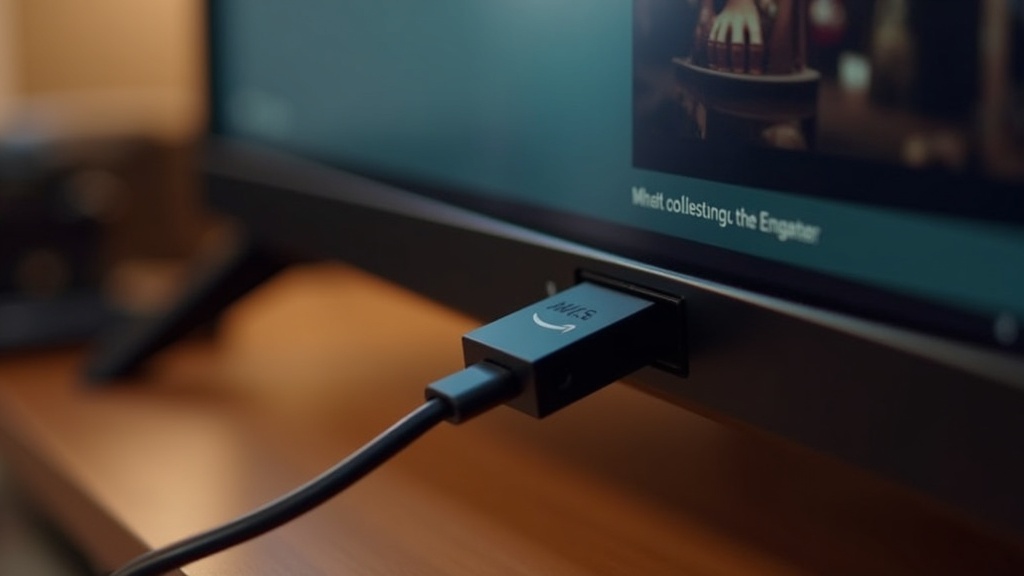
- Plug your Firestick into your TV's HDMI port and connect it to your home Wi-Fi.
- Install a compatible IPTV player from the Amazon Appstore, or via the standard sideloading method some players require.
- Enter the login details or playlist information your provider gives you after signing up.
- Let the app load the channel and content list, then organise your favourites for quick access.
- Test a few streams to confirm quality, then you're ready to watch.
A good provider will supply clear, step-by-step instructions for the Firestick specifically. If a service can't tell you how to get running on the most popular streaming device in the country, that's a red flag. For the best experience, a wired-style stable connection or a strong 5GHz Wi-Fi signal helps keep higher-quality streams smooth.
Honest Pros and Considerations
IPTV on a Firestick has real advantages, but it's worth going in with realistic expectations. Here's a balanced view.
The upside
- Far more content variety than a typical single-provider package, often at a lower monthly cost.
- One affordable device does the job, no proprietary hardware required.
- Watch on the TV you already own, and often on multiple devices depending on your plan.
- Simple to set up and easy to reorganise around the content you actually watch.
Things to keep in mind
- Your experience depends on your internet speed and stability; slow connections will buffer regardless of the provider.
- Quality varies enormously between services, so choosing a reputable one is the single most important decision.
- Cheaper isn't always better; extremely low prices sometimes mean oversold servers and poor uptime.
- Give any new service a short test run before committing to a long plan.
If you weigh these honestly, the path is clear: pick a service that's transparent, stable, and well-supported. You can get started with Optimedia's plans and see how a reliable, Firestick-friendly setup performs for your household before committing long-term.
The Best IPTV Apps and Players for Firestick
Your subscription is only half of the equation; the app you play it through shapes everything from how quickly channels load to how easily you find what you want to watch. The Firestick runs a version of Android, so it happily runs the same category of IPTV players people use across the streaming world. A few names come up again and again, and understanding what each one does helps you pick the right fit for your household.
IPTV Smarters Pro is one of the most widely used players on Fire TV. It is popular because it is simple: enter your login or playlist details once, and it organises live channels, movies, and series into clean, easy-to-browse categories with a built-in guide. TiviMate takes a more premium approach, offering a polished electronic programme guide, recording features, and deep customisation that power users love, though its best features sit behind a paid tier. Other capable options include Smart IPTV and various lightweight players. None is inherently "better" in isolation; the right choice depends on whether you value simplicity, a rich guide, or advanced controls.
An important distinction: these apps are players, not the service itself. They are empty shells until you connect a subscription. That is why the quality of your provider matters far more than the app icon you tap. A stable, well-supported service such as Optimedia works cleanly across the common Firestick players, so you can choose the interface you like best and still enjoy smooth, reliable playback.
Free IPTV Apps Versus Paid Services on Firestick
A lot of Firestick owners start by searching for free IPTV apps and free channel lists, and it is worth being straight with you about what that actually means. The players mentioned above are generally free or offer a free tier, and that is perfectly legitimate. The confusion usually starts with free content, the random playlists and codes floating around online that promise hundreds of channels at no cost.
In practice, those free streams tend to disappoint. They buffer constantly, drop without warning, disappear within days, and often carry questionable content with no support if something breaks. There is no team maintaining the servers because no one is paying to run them. For a quick, one-off test they can satisfy curiosity, but they are not a foundation for the way most households actually watch television night after night.
A paid subscription changes the equation entirely. You are funding maintained servers, organised and up-to-date channel lists, consistent HD and 4K quality, and real people to help when you need them. The sensible approach is to use a trusted free player, such as IPTV Smarters Pro or TiviMate, and pair it with a dependable paid service. You keep the flexibility of the app you prefer while getting the reliability that only proper infrastructure provides.
Installing IPTV Players on Your Firestick, Step by Step
Some IPTV players appear directly in the Amazon Appstore, and installing those is as simple as searching for the app and selecting "Get." When a player is not listed in the store, Firestick owners use a standard, built-in method called sideloading, using Amazon's own free Downloader app. It sounds technical, but it takes only a few minutes.
- From the Firestick home screen, open Settings, then My Fire TV, then Developer Options, and turn on Install unknown apps for the Downloader app.
- Search for Downloader in the Amazon Appstore and install it — this app is fully approved and free.
- Open Downloader and enter the download link your provider or the app's official site supplies.
- Let the file download, then select Install when prompted.
- Open your new player, enter the login or playlist details from your subscription, and let it load your channels.
Once the app is installed and your details are in, take a minute to arrange your favourite channels so the content you watch most is a click away. A reputable provider will hand you clear, Firestick-specific instructions after you sign up, so you are never left guessing. If a service cannot tell you how to get running on the most popular streaming device in the country, treat that as a warning sign.
Getting the Most From a Firestick 4K
If you are running a Fire TV Stick 4K or 4K Max, you have more processing power and faster Wi-Fi than the standard model, and a few small habits let you make the most of it. The newer sticks handle high-resolution streams and demanding players like TiviMate far more comfortably, which translates to quicker channel switching and fewer stutters during busy evenings.
The single biggest factor in 4K performance is your connection. A strong 5GHz Wi-Fi signal near the device, or a wired connection using an Ethernet adapter, keeps higher-quality streams smooth when the whole neighbourhood is streaming at once. It also helps to close background apps, restart the Firestick occasionally to clear its memory, and keep your chosen player updated so you benefit from the latest performance fixes.
Remember that no device can outrun a weak stream. A 4K Firestick paired with an oversold, unreliable service will still buffer, while the same stick paired with a provider that invests in proper infrastructure delivers the crisp, stable picture the hardware is built for. This is exactly why we focus on stable servers and adaptive quality at Optimedia, so your 4K Firestick performs the way it should.
Frequently Asked Questions
What is the best IPTV app for Firestick?
There is no single winner, because the best app depends on how you like to watch. IPTV Smarters Pro is the favourite for simplicity, giving you clean categories and a built-in guide with minimal setup. TiviMate suits viewers who want a premium programme guide and advanced features. Both run well on Fire TV, so the smarter question is which reliable service you connect them to.
What is the best free IPTV app for Firestick?
Popular players such as IPTV Smarters Pro and TiviMate are free to download, and TiviMate offers extra features through a paid tier. Free players are legitimate and useful. Free content, however, tends to buffer, vanish quickly, and come without support. The dependable approach is a free player paired with a trusted paid subscription for stable, maintained streams.
Can you still get IPTV on Firestick?
Yes. The Fire TV Stick runs an Android-based system that supports the vast majority of IPTV apps and players, either from the Amazon Appstore or through the standard sideloading method using the Downloader app. Installation takes only a few minutes, and once your login details are entered, your channels and content load straight onto your TV.
Why won't IPTV Smarters work on my Firestick?
Most issues trace back to three things: incorrect login or playlist details, a weak internet connection, or an outdated app. Double-check the credentials from your provider, confirm your Firestick has a strong 5GHz signal, and update or reinstall the player. If problems persist, a responsive provider can quickly confirm whether the fault is your setup or the service.
How do I install IPTV on a Firestick?
If your player is in the Amazon Appstore, simply search for it and select "Get." If not, enable "Install unknown apps" in Developer Options, install the free Downloader app, enter the download link your provider supplies, and install the player. Then open the app, enter your subscription details, and let it load your channels. The whole process takes a few minutes.
How much internet speed do I need for IPTV on a Firestick?
For smooth HD playback, a stable broadband connection is usually plenty, while 4K streams benefit from a faster, more consistent link. A strong 5GHz Wi-Fi signal near the Firestick, or a wired connection via an Ethernet adapter, does more to prevent buffering than raw speed alone, especially during busy evening hours.
Can I watch on more than one screen at a time?
That depends on the plan you choose. Many services offer multi-connection options so different people in your household can watch different content simultaneously on separate Firesticks or devices. If several people stream at once in your home, check the number of connections included before you sign up.
How do I choose the best IPTV for Firestick?
Focus on stream reliability, content that matches what you actually watch, clean compatibility with common Firestick players, transparent pricing, and responsive support. Test a service briefly before committing to a long plan, and favour established providers that invest in stable infrastructure and give you clear, Firestick-specific setup guidance from day one.